Model how a system works, from what people say about it.
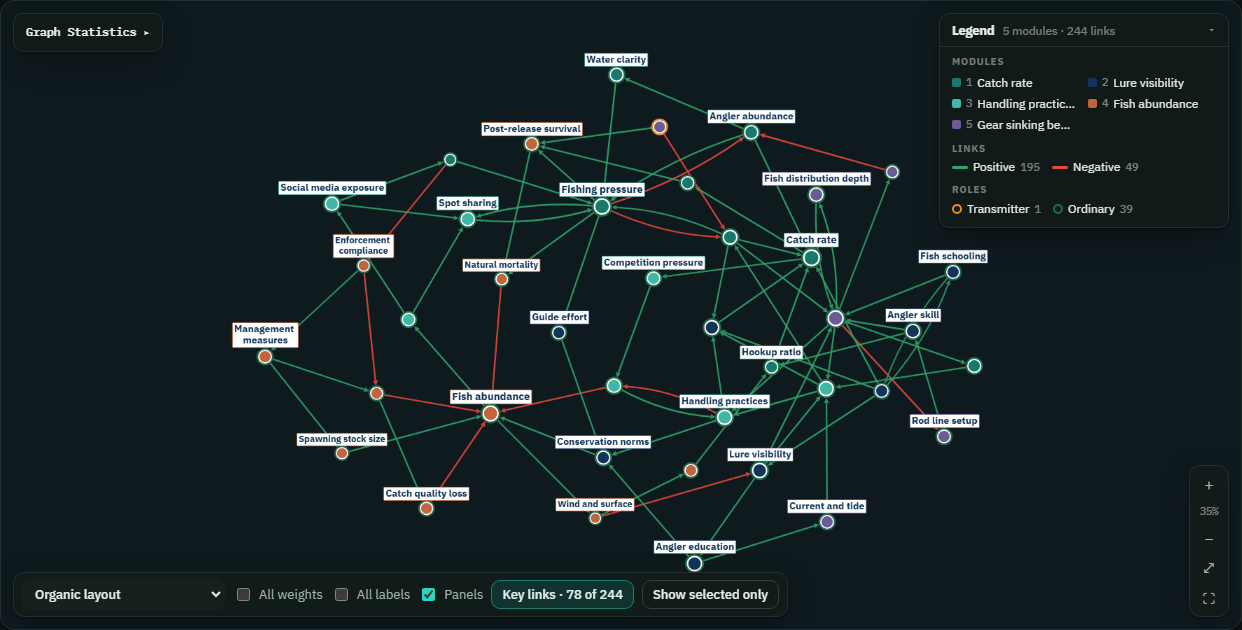
Conceptual Modelar is modelling software that turns interviews, reports and datasets into a fuzzy cognitive map — a standardised, semi-quantitative model of the concepts in a system and the causal links between them — ready for network analysis and scenario testing.
- 100documents per project
- 8analysis views
- 1quote behind every link
What is Conceptual Modelar?
A modelling tool that captures knowledge in a standard, comparable format. Building a model takes three steps — the first two are done for you from your documents, and you stay in control of every result.
-
1
Define the components
Concepts — the parts of the system that can increase or decrease — are extracted from each document and merged across the collection.
Fishing pressureFish stockWater qualityRegulationTourism+ 385 -
2
Define the relationships
Every cause → effect link gets a direction, a sign and a weight from −1 to +1, with the verbatim quote it came from.
Fishing pressure−0.80Fish stock“there’s too much pressure on these fish”
-
3
Run scenarios
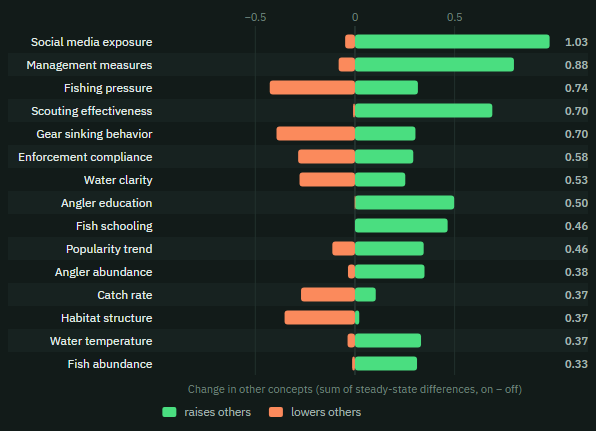
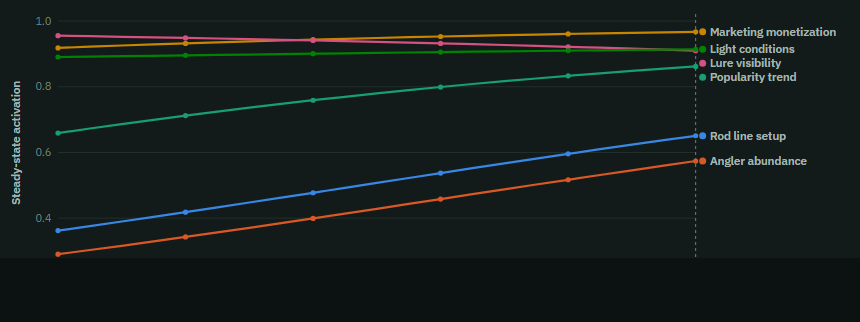
Change a concept and watch the system respond: steady-state changes, trajectories and dose–response curves.
Why was it developed?
Fuzzy cognitive maps are a proven way to make people's understanding of a system explicit — but drawing them by hand from dozens of interviews is slow and hard to audit. Conceptual Modelar was built to read whole collections of documents, keep the evidence for every link, and put the standard FCM and network-science analyses one click away.
See methods and referencesHow do I get started?
Conceptual Modelar runs in your browser. Request an account, start a project once it is approved, and add your documents — nothing to install.
- 1Request accessCreate an account with your e-mail and tell us about your work. An administrator approves each request.
- 2Start a project and add filesName it, drop in up to 100 files, and extraction starts right away.
- 3Explore, analyse, exportMap, tables, matrix, SNA, network analysis, scenarios and cited answers.
What you can upload
source, target, weight (or cause / effect, from / to) — imported directly as a map, no AI needed.
Inside the workspace
- Causal mapFive layouts, filters, search, key-links view, full-screen.
- Concepts & linksSortable tables with every supporting quote.
- Adjacency matrixThe weight matrix PyFCM and Mental Modeler use.
- CondenseFold hundreds of concepts into 15–50 for analysis.
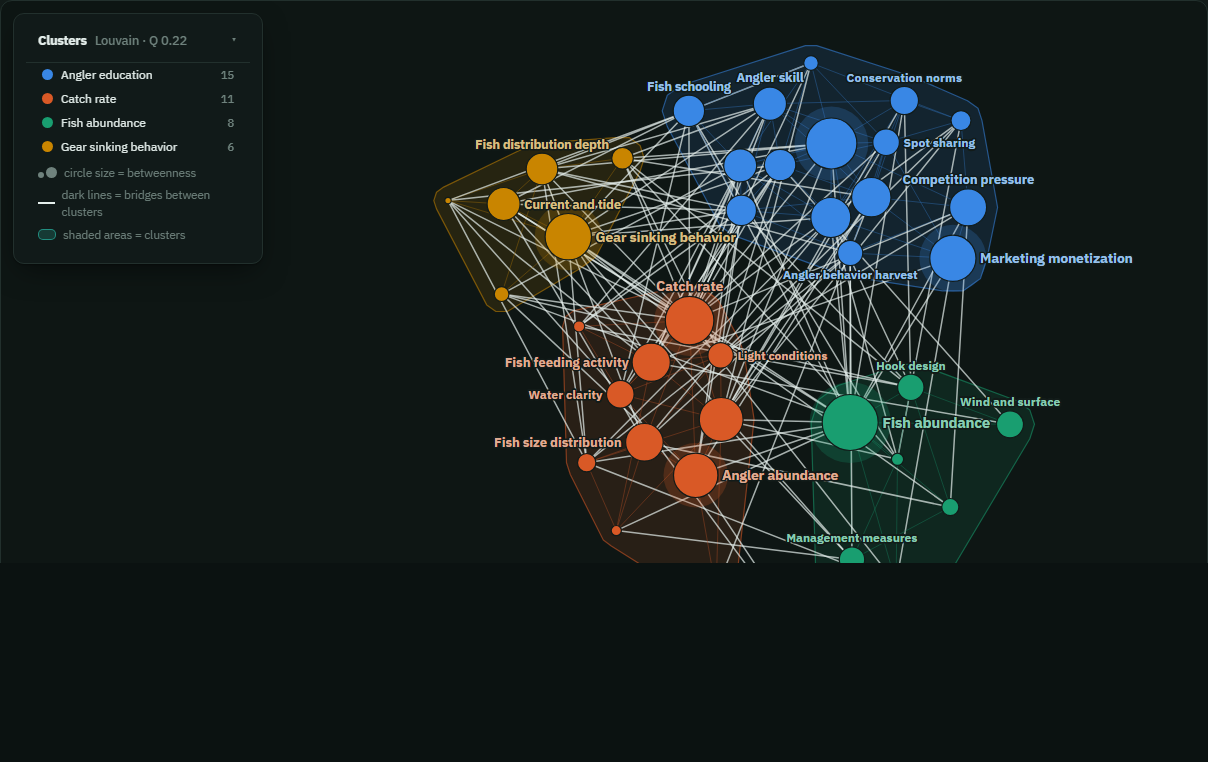
- Network analysisCentrality, hierarchy, feedback loops, modules, paths.
- Ask with citationsAnswers drawn from passages and the map, every claim cited.
- FiguresPNG, SVG, JPEG or PDF in journal-ready colour templates.
- ExportsCSV, PyFCM workbook (XLSX) and Gephi network (GEXF).
What is fuzzy-logic cognitive mapping?
Fuzzy-logic cognitive mapping (FCM) was introduced by Bart Kosko in 1986 as an extension of the cognitive maps Robert Axelrod used to describe how decision-makers reason (1976). It translates qualitative knowledge into a semi-quantitative model that can be run. A map has:
- Concepts — the components of a system, anything that can increase or decrease;
- Directed, weighted links — how a change in one concept pushes another, up (+) or down (−), with a strength from 0 to 1;
- Inference — the map is run by passing activation along the links, through a squashing function, until the system settles.
Comparing the settled state with and without an intervention is a scenario analysis. The structure of the map can be read directly too: which concepts transmit or receive influence, how central and connected they are, and how hierarchical or democratic the map is (Özesmi & Özesmi 2004).
Because the format is simple, FCMs suit participatory modelling with stakeholders, measuring and comparing mental models in social-science research, and combining expert and local knowledge in one model.
In Conceptual Modelar, each claim found in a document is a vote; a link's weight is the mean signed vote across all claims. Simulation uses PyFCM's sigmoid squashing and modified Kosko rule.
Every analysis, and how it works
From the first extracted claim to the last scenario: what each part of the workspace computes, the formulas behind it, and how to read the result.
Methods, references and guides
The methods behind every number in the app, with the original sources.
Method references
Templates
Quick guide
1. Build a map from documents
Create a project, add PDFs, Word or text files, and wait for extraction. Each document shows how many concepts and links it produced; untick a document to leave it out of every view.
2. Clean and condense
Use filters (minimum weight, confidence, mentions) to focus the map. Condense folds all concepts into 15–50 canonical concepts with the build_per_map method, so analyses work on a readable map.
3. Analyse the structure
Social network gives cohesion, centralization, clusters, brokers and cores; Network analysis gives FCM indices, feedback loops, modules and leverage points.
4. Run scenarios
Hold one or more concepts at a value, run the simulation, and read the change in steady state. Save scenarios and compare them side by side.
5. Report
Every chart has a Figure button (templates, size, PNG / SVG / JPEG). Export tables as CSV, the model as a PyFCM workbook, or the network for Gephi.
Glossary
Where fuzzy cognitive maps are used
How did Conceptual Modelar begin?
Conceptual Modelar grew out of research that needed fuzzy cognitive maps from many interviews at once. It brings the research team's own
FCM code — pyfcm_core for inference and structural indices, fcm_figure for publication graphics and
build_per_map for condensing — together with AI extraction, PostgreSQL storage and network science, in one workspace.
Start your first model.
Request access, add your documents once approved, and see the causal map in minutes.